Explore the workspace

One launch point.
Everyday Salesforce work, connected.

Lightning Craft brings data, metadata, deployment, REST, and developer workflows into the Salesforce context you already use.

Start from the page you are already on.

The in-page drawer keeps searchable objects, users, organization context, record actions, and workspace entry points within the current Salesforce session.
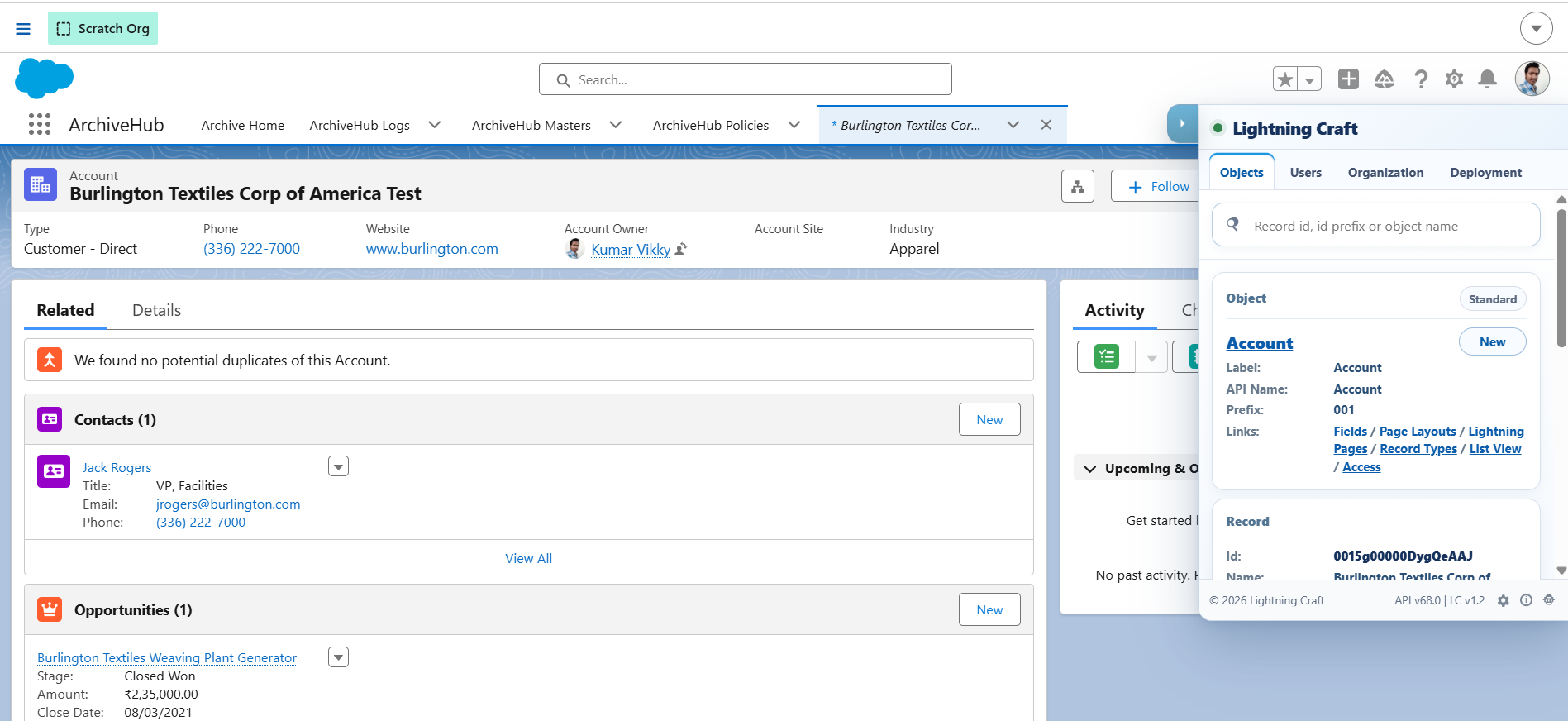
  • Open direct workspace actions from Salesforce
  • Browse object, user, and organization context
  • Use record-level actions without leaving the page
  • See recent deployment activity for this org
Lightning Craft launcher open alongside Salesforce
Salesforce context, close at hand.

Understand a record in its full Salesforce context.

The launcher detects the record and object open in Salesforce, then presents its available data and metadata together in a focused Data View workspace.
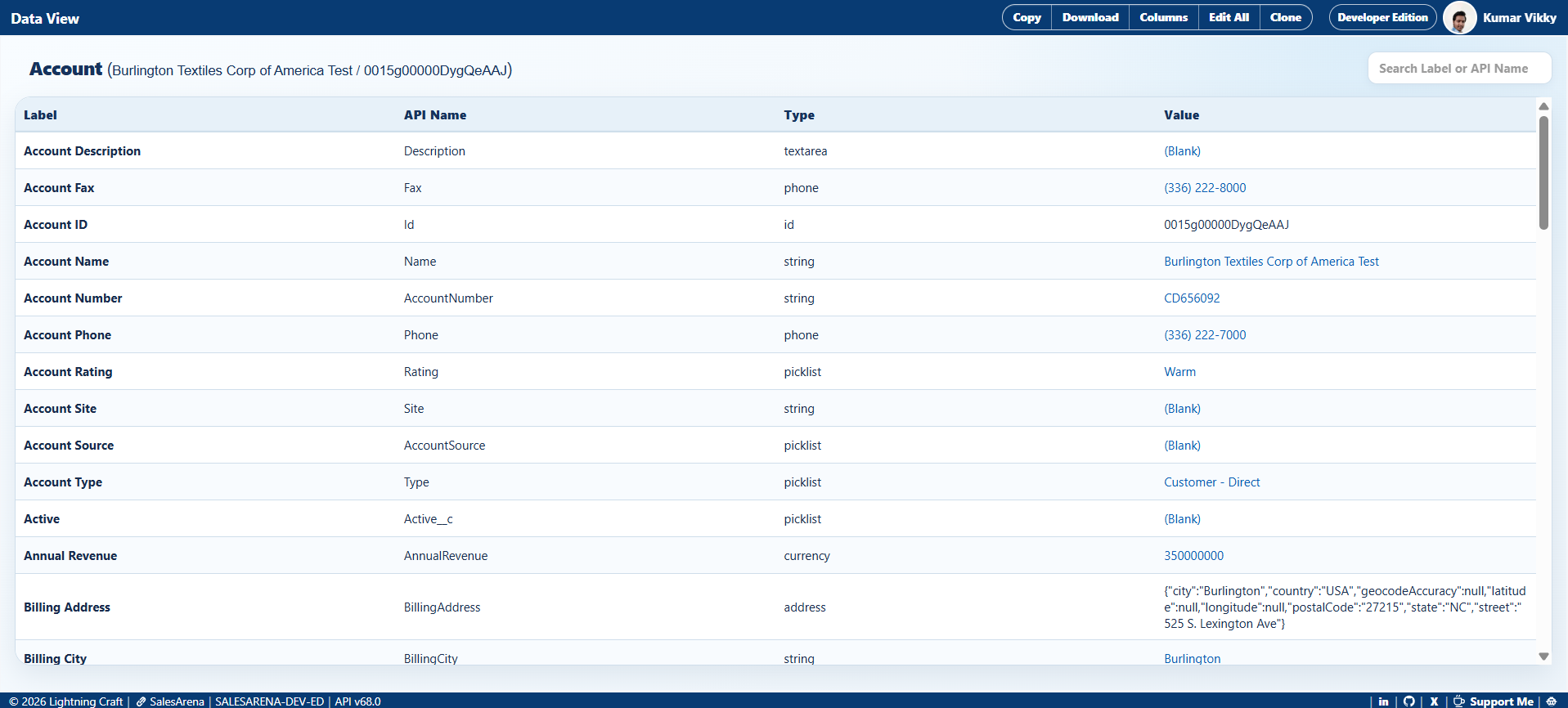
  • Detect the current Salesforce object and record from the page
  • Review record values alongside field metadata
  • Clone an existing record when a similar record is needed
  • Modify eligible values directly from the workspace
Data View displaying Salesforce record values and metadata
Inspect, clone, and update a record with context.

Move from object discovery to usable data.

Browse objects and fields, construct SOQL in a dedicated editor, inspect results, and export or copy the data you need.
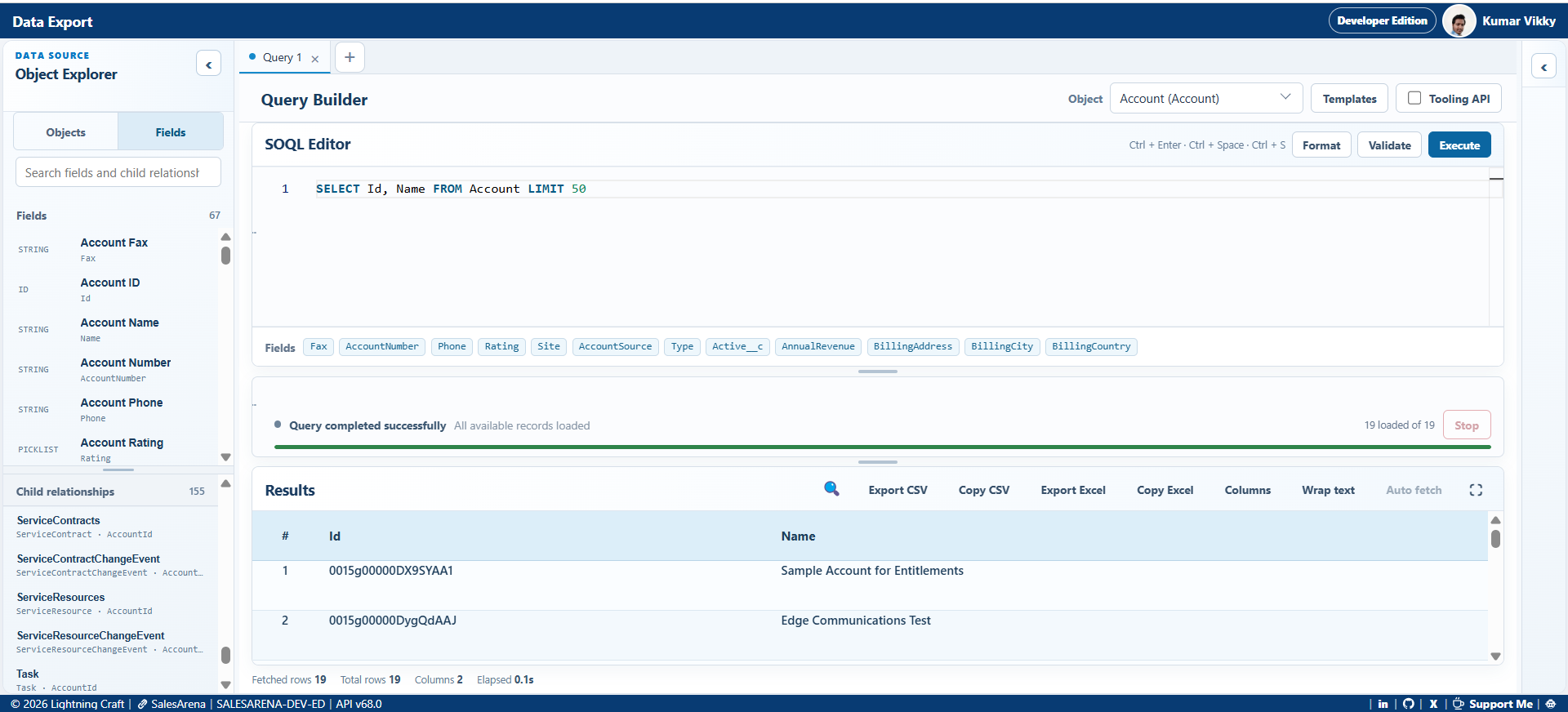
  • Object explorer and searchable fields
  • Parent and child relationship suggestions
  • Cursor-aware field insertion and subquery support
  • Tooling API queries, templates, validation, and results actions
Data Export with object explorer, SOQL editor, field chips, and results
Compose, validate, execute, and export.

Prepare changes before they reach your org.

Stage CSV, Excel, pasted, or manually entered records. Map fields, validate rows, review operations, then apply the permitted change with a clear result trail.
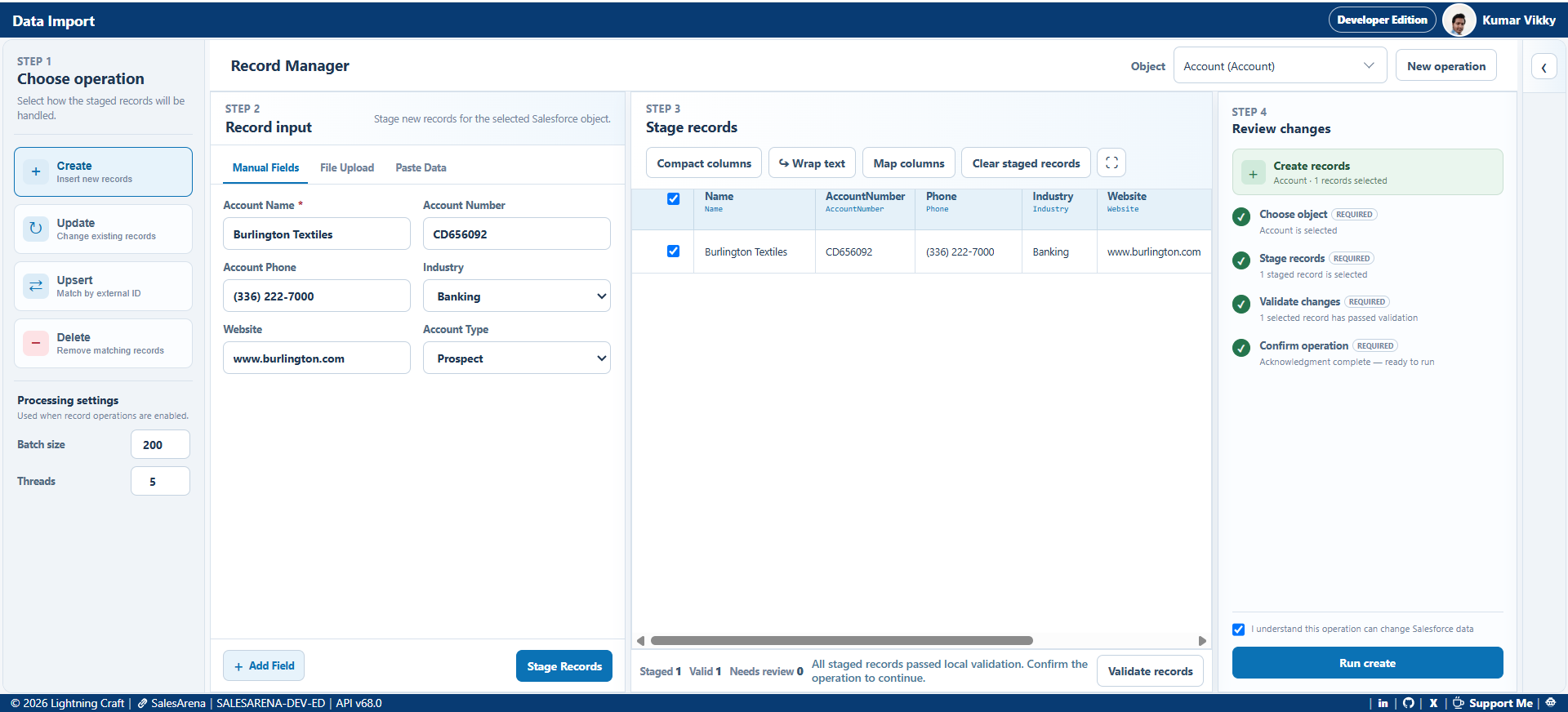
  • Create, update, upsert, or delete where access permits
  • Column mapping, validation, and editable staged rows
  • Review saved mappings and select Update Mapping when a change is needed
  • Clear per-row outcomes after processing
Data Import workspace showing staged records and mappings
Stage and verify data changes with clarity.

Build focused retrieval packages.

Discover metadata types and components, assemble a precise selection, inspect relationships, generate package.xml, and download a Metadata API ZIP package.
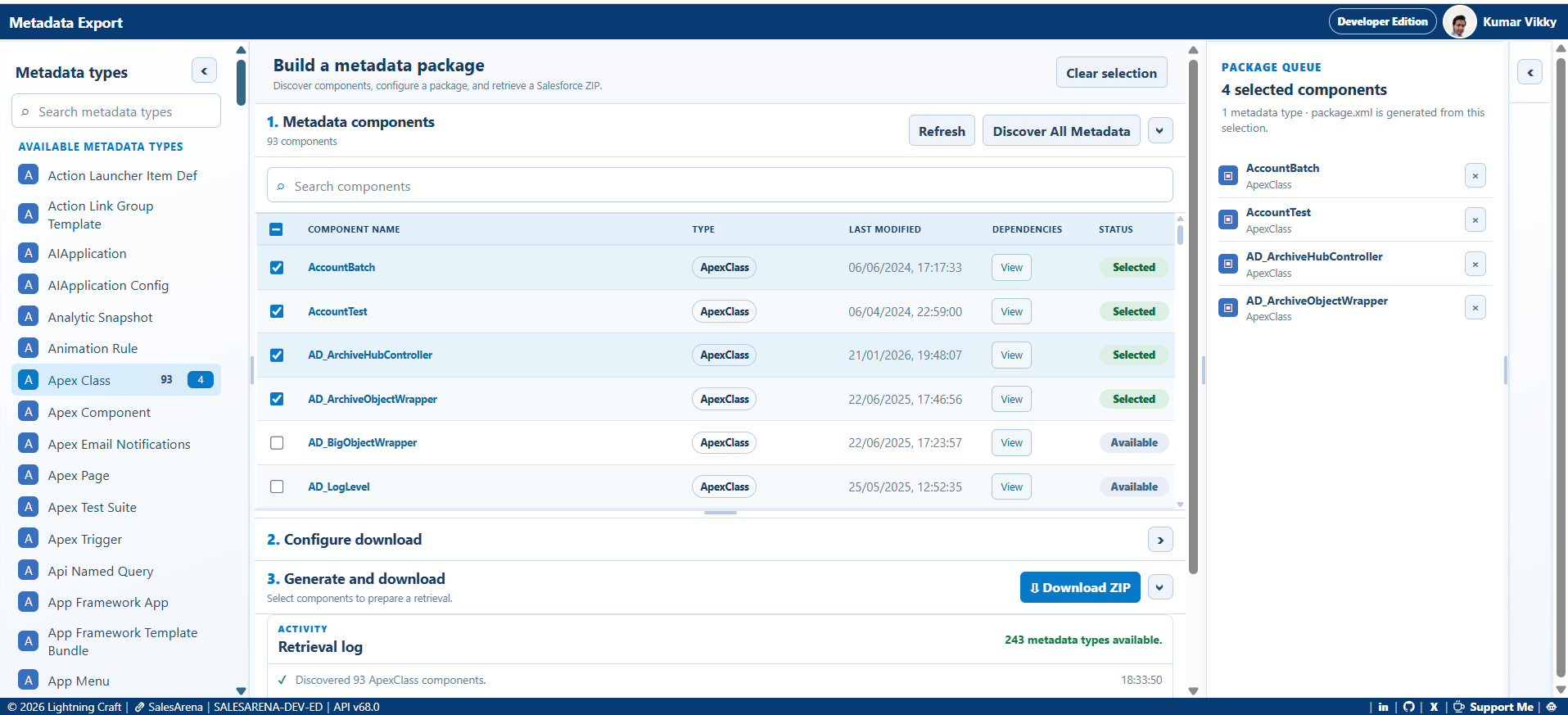
  • Searchable metadata discovery and component selection
  • Generated package.xml with saved local configurations
  • Dependency review for selected components
  • Readable retrieval activity and downloadable ZIP output
Metadata Export workspace with selected metadata types and generated package XML
Discover components and assemble a package.

Validate and deploy packages with intent.

Upload a Metadata API ZIP, inspect its contents, set deployment options, validate first, and deploy when ready. Deployment logs keep the work visible from start to finish.
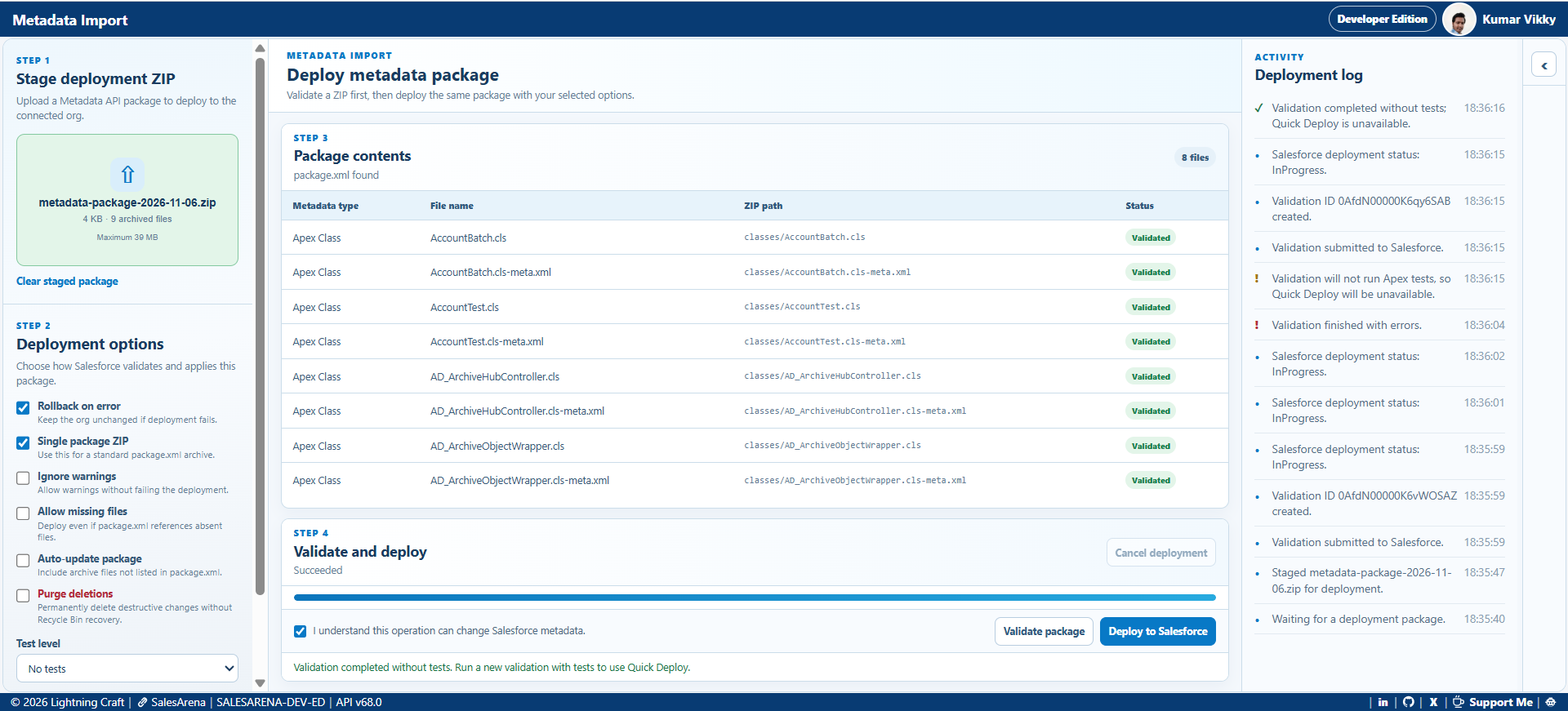
  • Package ZIP staging and content inspection
  • Validation and deploy actions with deployment options
  • Quick Deploy for eligible validations
  • Deployment activity, status, and local recovery support
Metadata Import workspace with deployment options and package contents
Review the package, then validate or deploy.

View metadata deployment details directly from the launcher.

Open Deployment View to review this org's metadata deployment activity, component outcomes, tests, timing, and errors without leaving your Salesforce context.
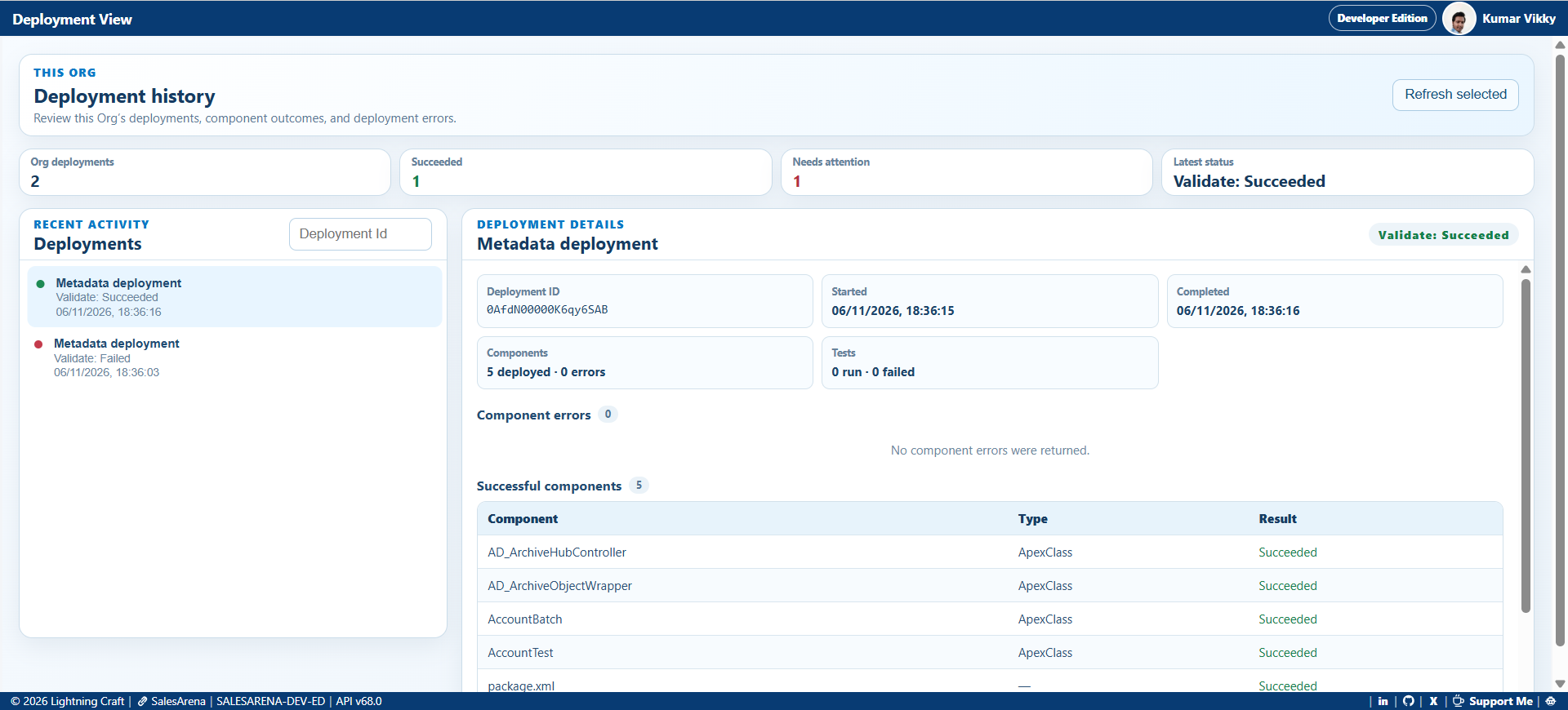
  • Recent deployment activity and searchable history
  • Validate, Deploy, and In Progress status clarity
  • Component-level errors and deployment details
  • Test counts and completion timing
Deployment history showing recent deployments and component errors
Deployment details without the guesswork.

Keep source, diagnostics, and developer tasks in one view.

Use a focused Salesforce development workspace for source editing, comparisons, execution, test runs, logs, JSON utilities, and deliberate Local Files scratch work.
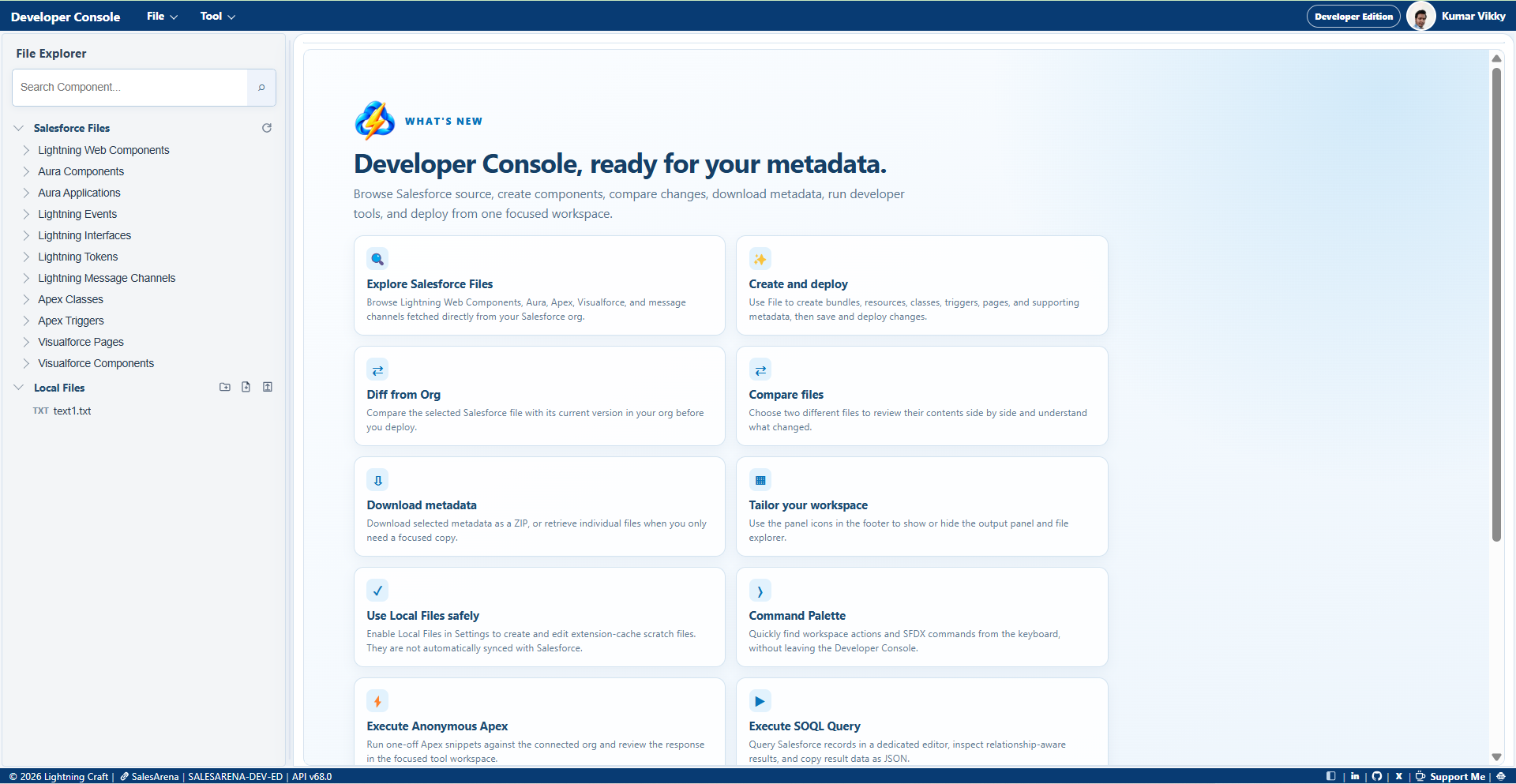
Developer Console welcome screen and source explorer

Explore and edit

Browse supported Salesforce source and work with Apex, Aura, Lightning Web Components, Visualforce, and more.

Compare with context

Review a file against its org version or compare two files side by side before proceeding.

Command Palette

Open the command palette to find SFDX-style developer actions immediately and run common workspace commands faster.

Execute Anonymous Apex

Write and run Anonymous Apex against the connected org, then review the execution output in the console.

Execute SOQL Query

Run SOQL in a dedicated modal, inspect relationship-aware results, and copy the returned records as JSON.

Log Analyzer

Load, search, and inspect debug logs in a focused analyzer to understand execution paths and diagnose issues.

Run Test Class

Choose and run Apex tests, then review test progress, results, failures, and related output in one place.

JSON Parser

Inspect JSON as an expandable tree, format it, and generate a copy-ready Apex wrapper class from its structure.

Local Files

Enable Local Files for browser-local scratch work, then import, export, compare, or deliberately deploy when ready.

Explore APIs with ease.

Call Salesforce REST resources or approved external HTTPS endpoints from an organized request builder. Inspect a formatted response and keep a useful activity trail nearby.
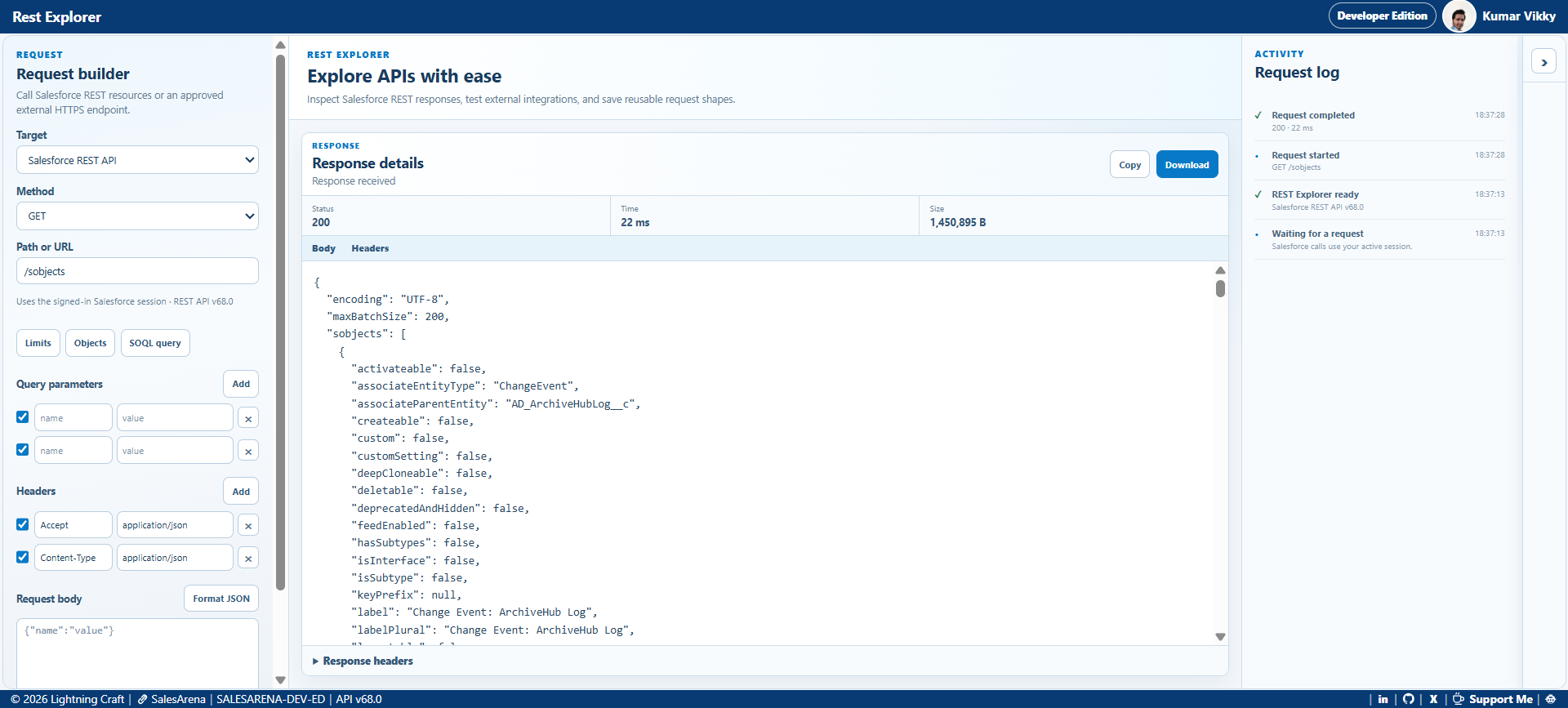
  • Salesforce REST and external HTTPS request targets
  • Configurable methods, paths, parameters, headers, and JSON bodies
  • Formatted response viewer with copy and download actions
  • Saved request shapes and request activity history
REST Explorer request builder, response viewer, and request log
Build requests, inspect responses, and keep moving.

Need a hand?

Installation, privacy, and support are all documented.