01
Explore & export data
Browse objects and fields, compose SOQL with suggestions, inspect results, and export or copy exactly what you need.
Data workspace →Salesforce developer workspace
Lightning Connect brings data, metadata, and developer tools into one focused Chrome extension—launched directly from supported Salesforce pages.
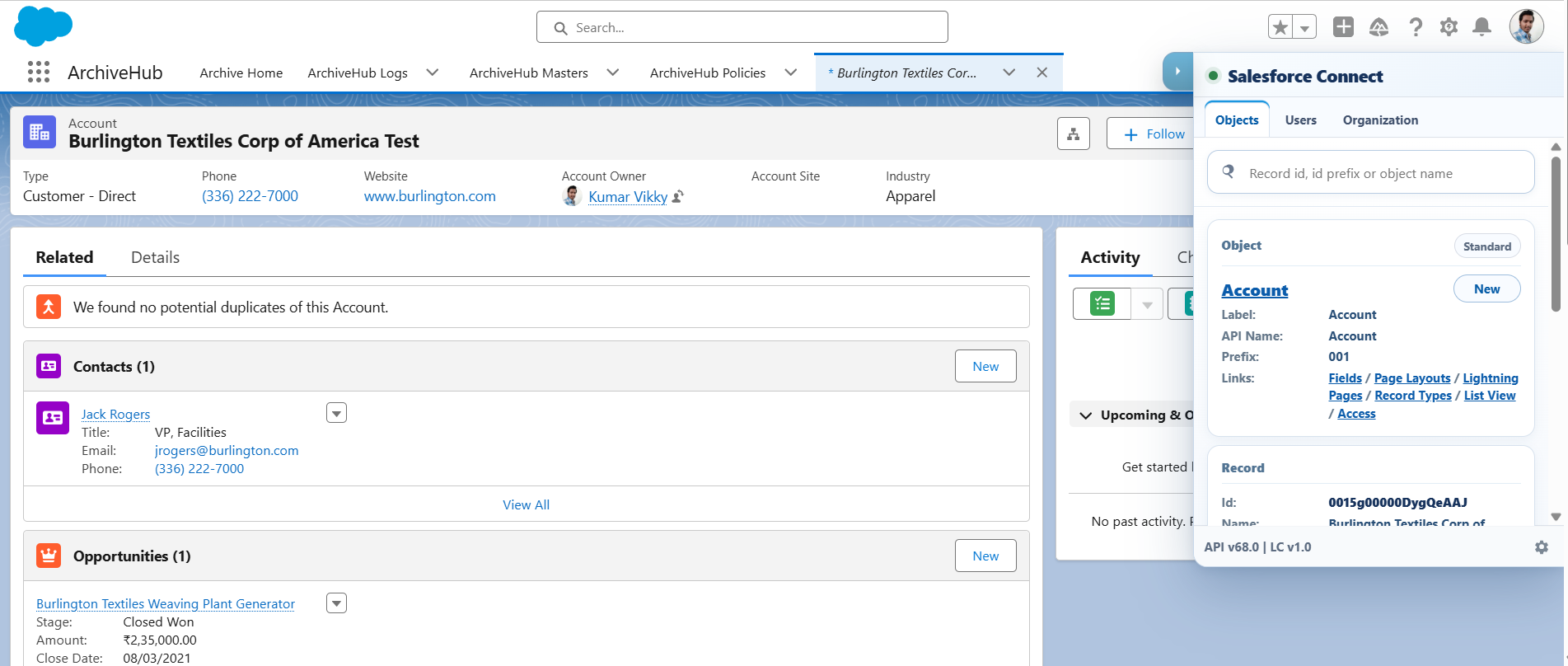
Move from an object lookup to a query, a data change, a metadata package, or source work without swapping tools or signing in again.
Browse objects and fields, compose SOQL with suggestions, inspect results, and export or copy exactly what you need.
Data workspace →Stage CSV, Excel, pasted, or manual records; validate mappings; then review every operation before it runs.
Data import →Discover components, generate package.xml, inspect dependencies, and download a Metadata API ZIP.
Metadata tools →Browse source, compare changes, run developer workflows, and work with metadata in a focused console.
Developer console →Purpose-built panels and direct Salesforce context keep the next step close at hand.
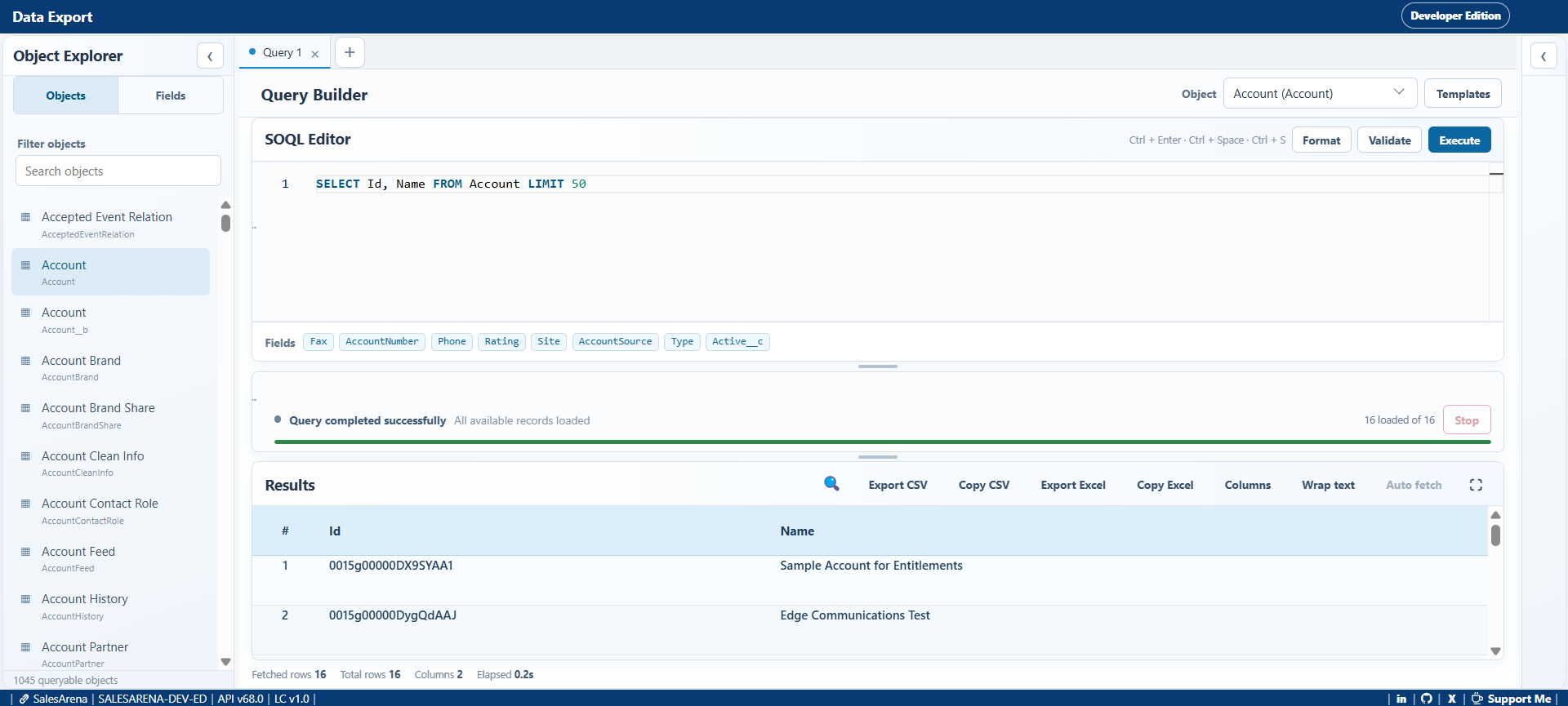
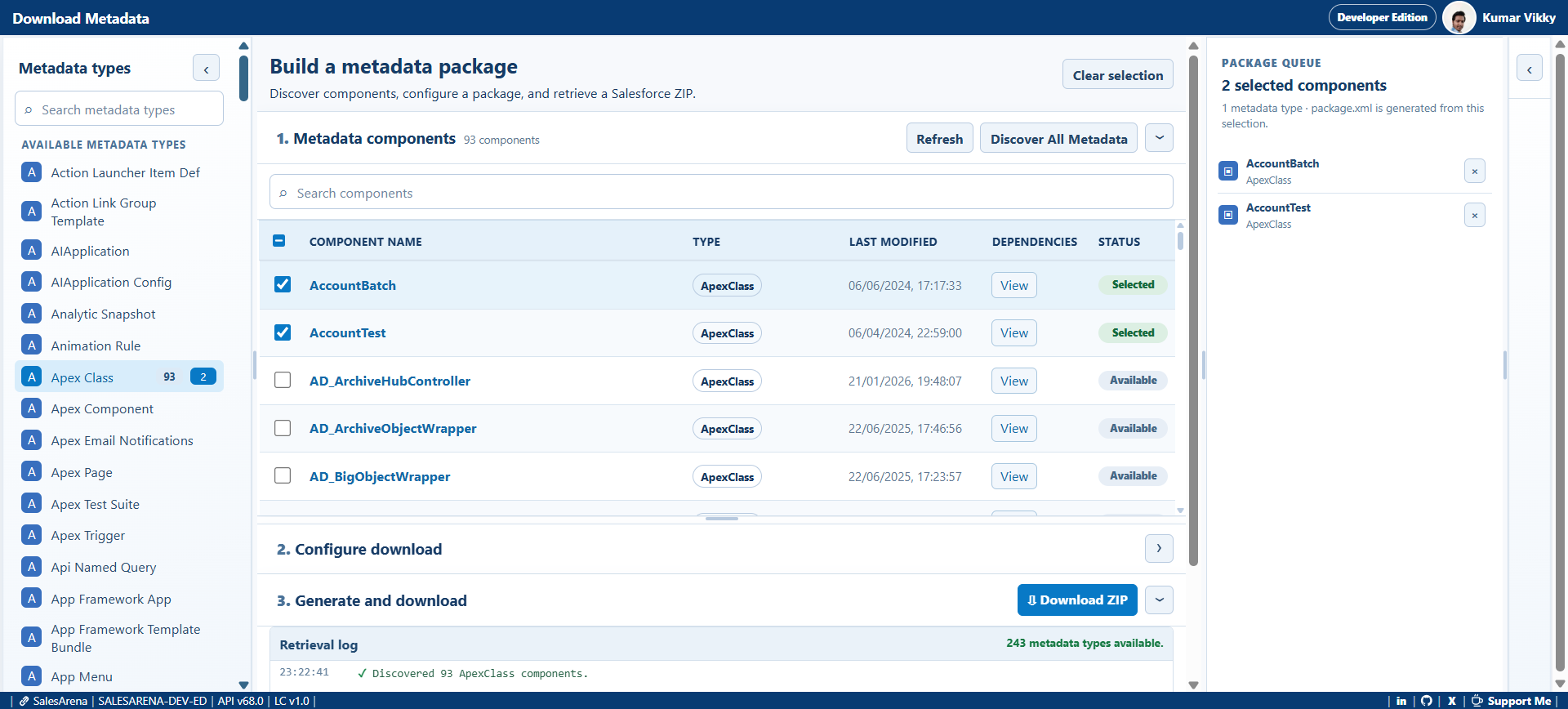
Lightning Connect keeps the context visible—from the org and user you are connected to, to staged record validation and metadata selection—so you can review before an action is sent to Salesforce.
Read how data is handledLaunch the workspace from a supported Salesforce page while signed in.
Jump to data, metadata, record, or developer workflows from one launcher.
Use the provided validation, staging, selection, and output views for informed work.
Ready when you are